Opt-In Process
GTEC US LLC obtains explicit, informed consent from every user before sending any SMS messages. The following steps describe the complete opt-in workflow used across our applications.
User Creates an Account
The user creates an account at courtcompass.org using either Google OAuth or email/password. No phone number is collected at registration, and no SMS consent is required at this stage.
Phone Number Entry (Consent Point)
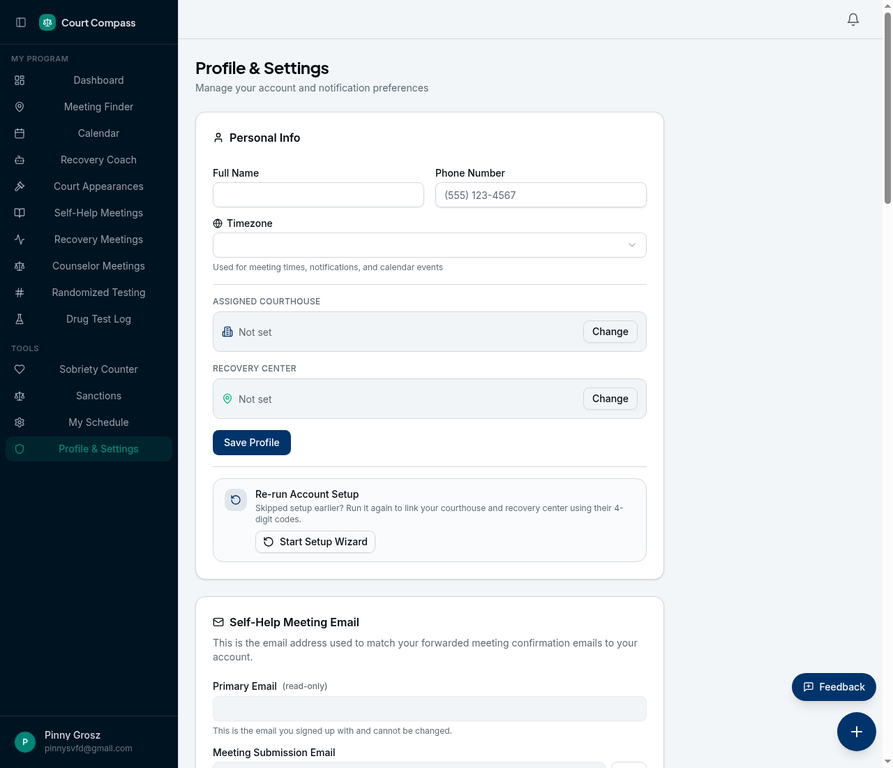
After logging in, the user navigates to Profile & Settings. When the user enters their phone number in the "Phone Number" field, the SMS consent disclosure is displayed directly below the input field.
Explicit Consent via Profile Save
The disclosure text reads: "By entering your phone number, you agree to receive SMS messages from GTEC US LLC for account verification, security alerts, and service notifications. Message frequency varies. Msg & data rates may apply. Reply STOP to opt out. Privacy Policy | SMS Terms". By saving their profile with a phone number, the user provides explicit consent.
Confirmation Message Sent
Upon successful verification, the user receives a welcome/confirmation message: "GTEC US LLC: You are now subscribed to account verification and service notification messages. Msg frequency varies. Msg & data rates may apply. Reply HELP for help or STOP to cancel."
Ongoing Consent Management
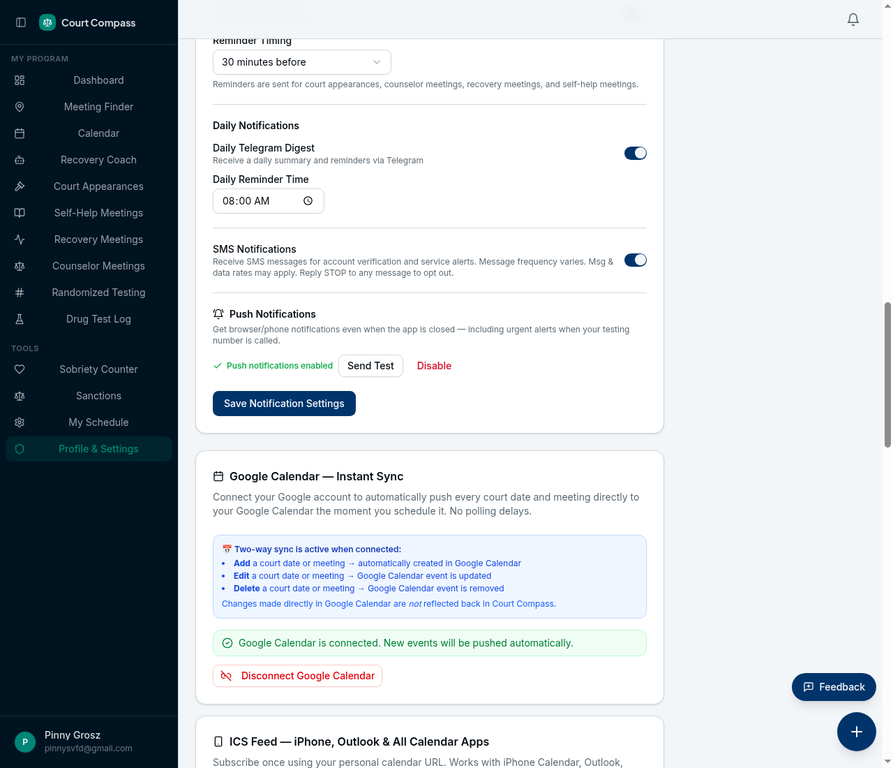
Users can manage their SMS preferences at any time through the SMS Notifications toggle in Settings > Notifications, which allows them to disable or enable SMS alerts without needing to send a text message. Replying STOP to any message also immediately unsubscribes the user.
Consent Disclosure Language
The following disclosure is presented directly below the phone number input field at the point of opt-in:
Application Screenshots
The following screenshots demonstrate the opt-in workflow as it appears in our applications:
Profile Settings — Phone Number with SMS Consent
Notifications Section — SMS Notifications Toggle
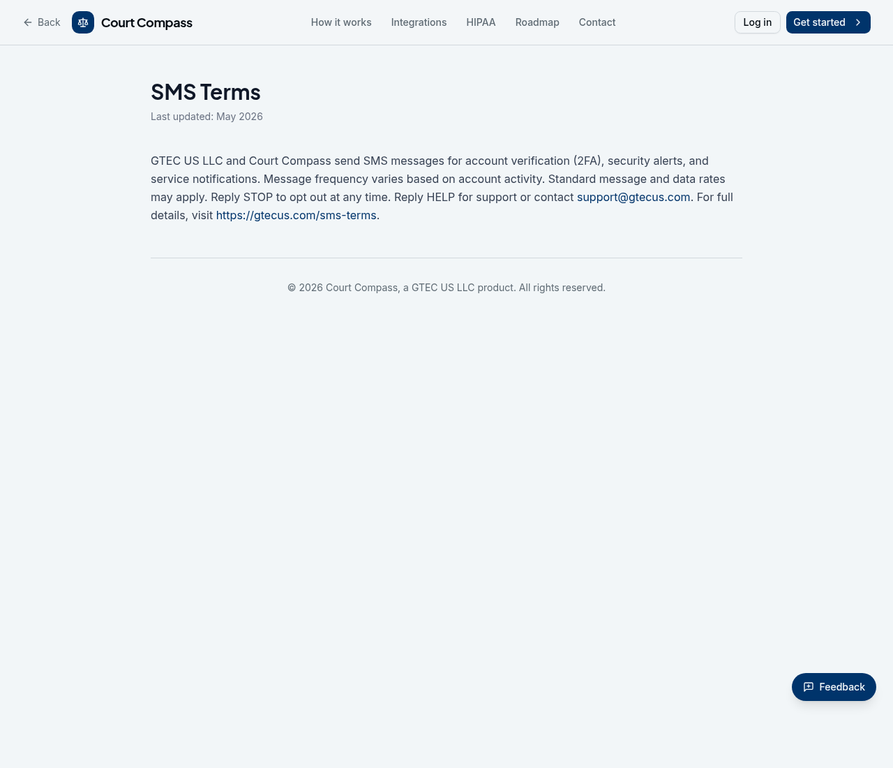
SMS Terms Page
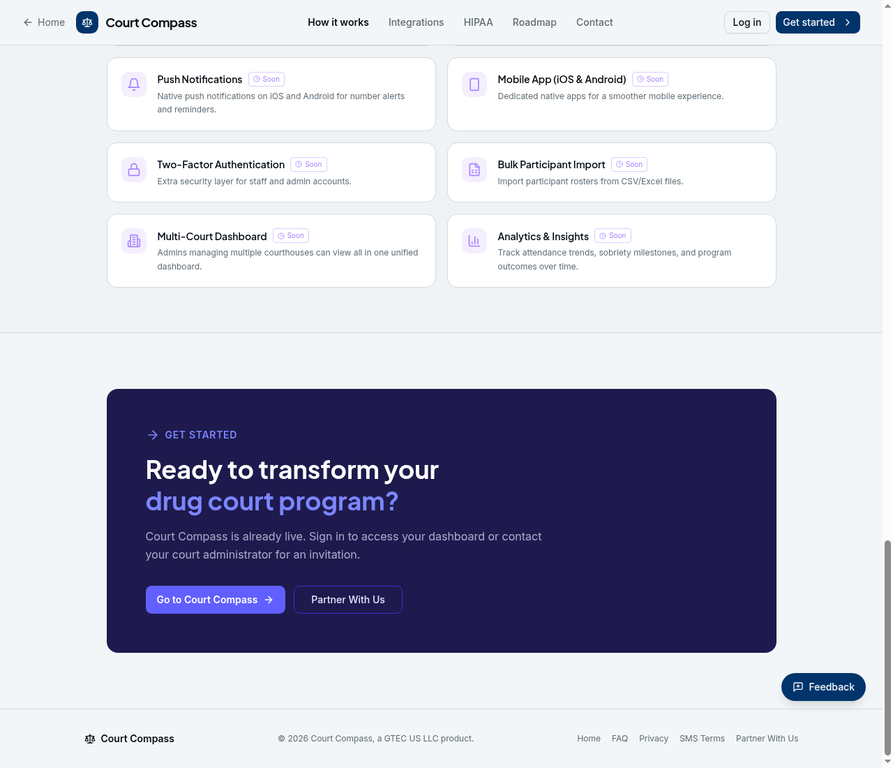
Footer with SMS Terms Link
Opt-Out Methods
| Method | How It Works | Response Time |
|---|---|---|
| Reply STOP | Text STOP to any message from us | Immediate |
| Account Settings | Toggle off SMS notifications in your profile | Immediate |
| Email Support | Email [email protected] with your request | Within 24 hours |
| Phone | Call (908) 224-6420 | Within 24 hours |